Skype for Business

Attendant Console

Hype around New Attendant Console for Microsoft Skype for Business

Absent any need for onpremise equipment, the highly interactive and graphical interface brings a gamification approach to increasing attendant and operator productivity. Menus and functions are state dependent and devoid of unnecessary desktop clutter and redundant actions. Calls travel dynamically and change color based on a contact's queue position and age. In addition, users are empowered with directory searching coupled with Presence in Skype for Business

"This milestone achievement brings a nextgeneration and gamification approach to call handling that enables enhanced productivity and collaboration," said James Skay, senior product marketing manager, Microsoft Skype for Business Developer Platform, Microsoft Corp. "We are excited to share this innovative breakthrough with both Microsoft Ignite attendees and the thousands of enterprises worldwide for which Skype for Business is the preferred call management system."


Research

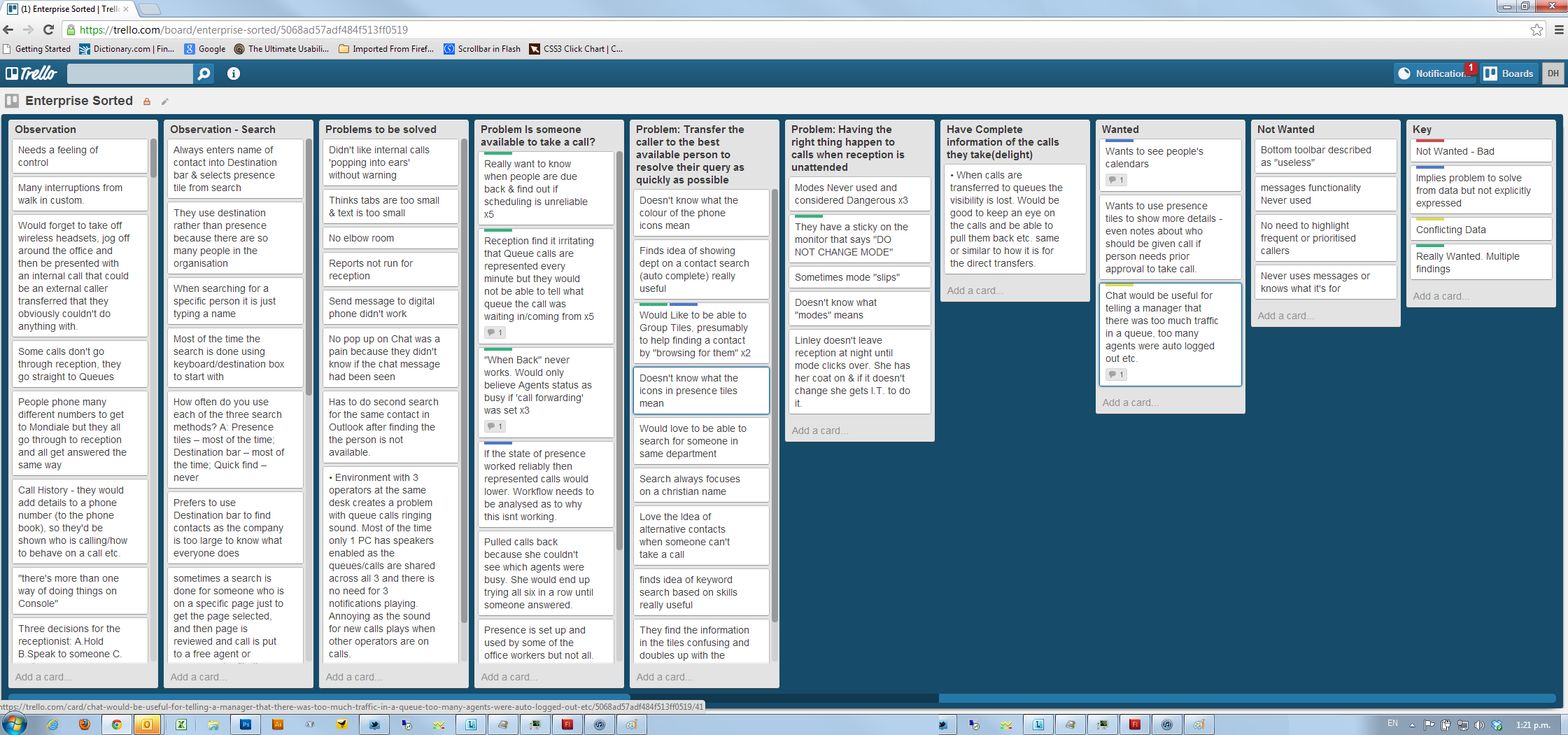
We visited and observed operators at a variety of businesses, large and small. We also left a questionaire and asked people to communicate any loves, hates, desires through a trello board. A common theme was the need for more visibility of a call once it left the console.

Mainfreight had (at that time) three operators who would take calls for all of their satellite offices in New Zealand and some Australian sites.

They would have to distribute calls to personal extensions, deliver to appropriate queues and answer questions on the phone as well as talk to walk in custom. In a busy state they were being delivered up to 3 calls a minute. Calls are re-queued for the console operators after 3 minutes of wait time in a queue.

Once an operator had transfered a call, that call was invisible to them. If the call came back, it would join the bottom of the incoming queue.


Solution

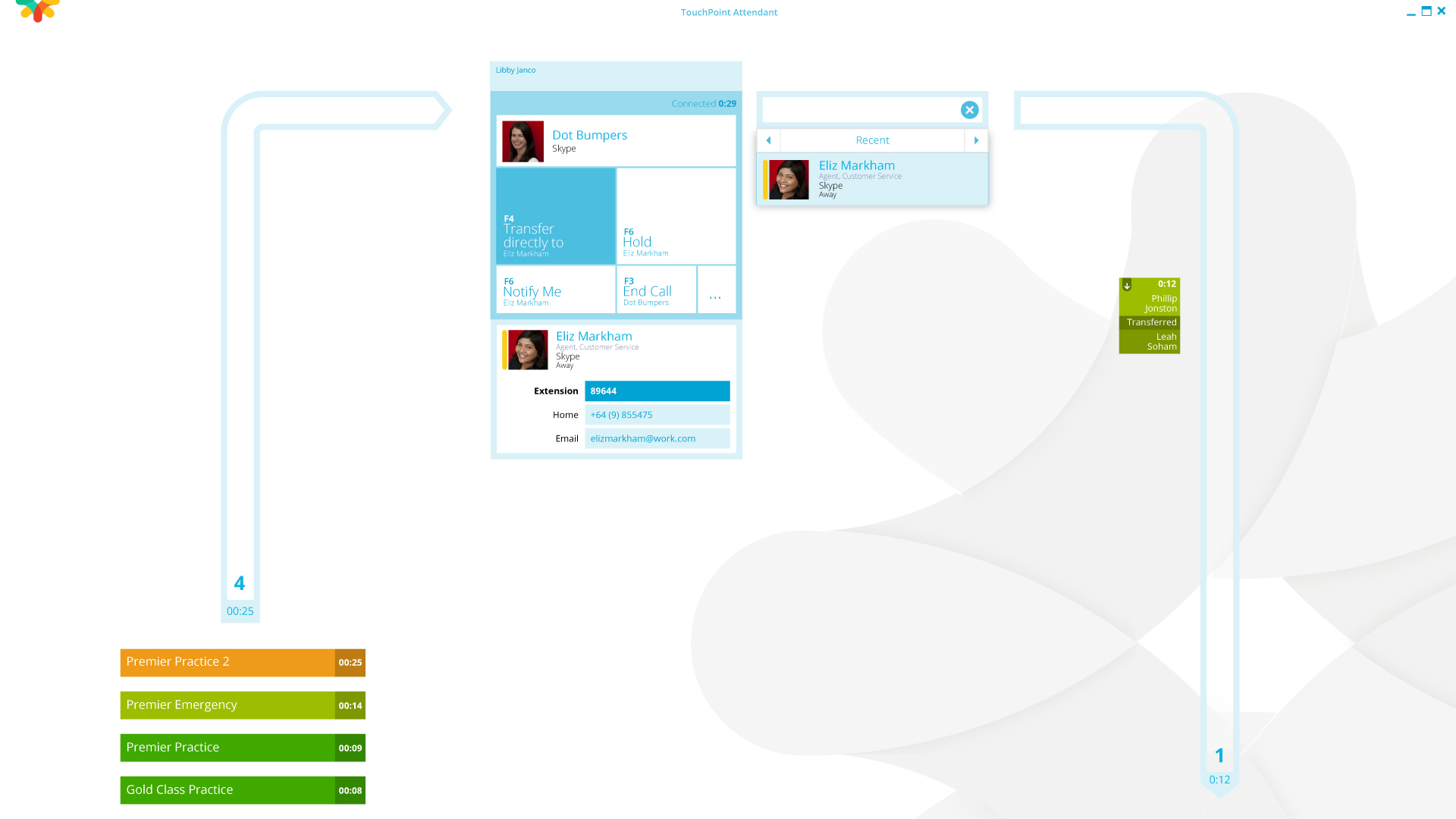
I decided to display the state of the calls, incoming and outgoing visually in a clockwise pattern.

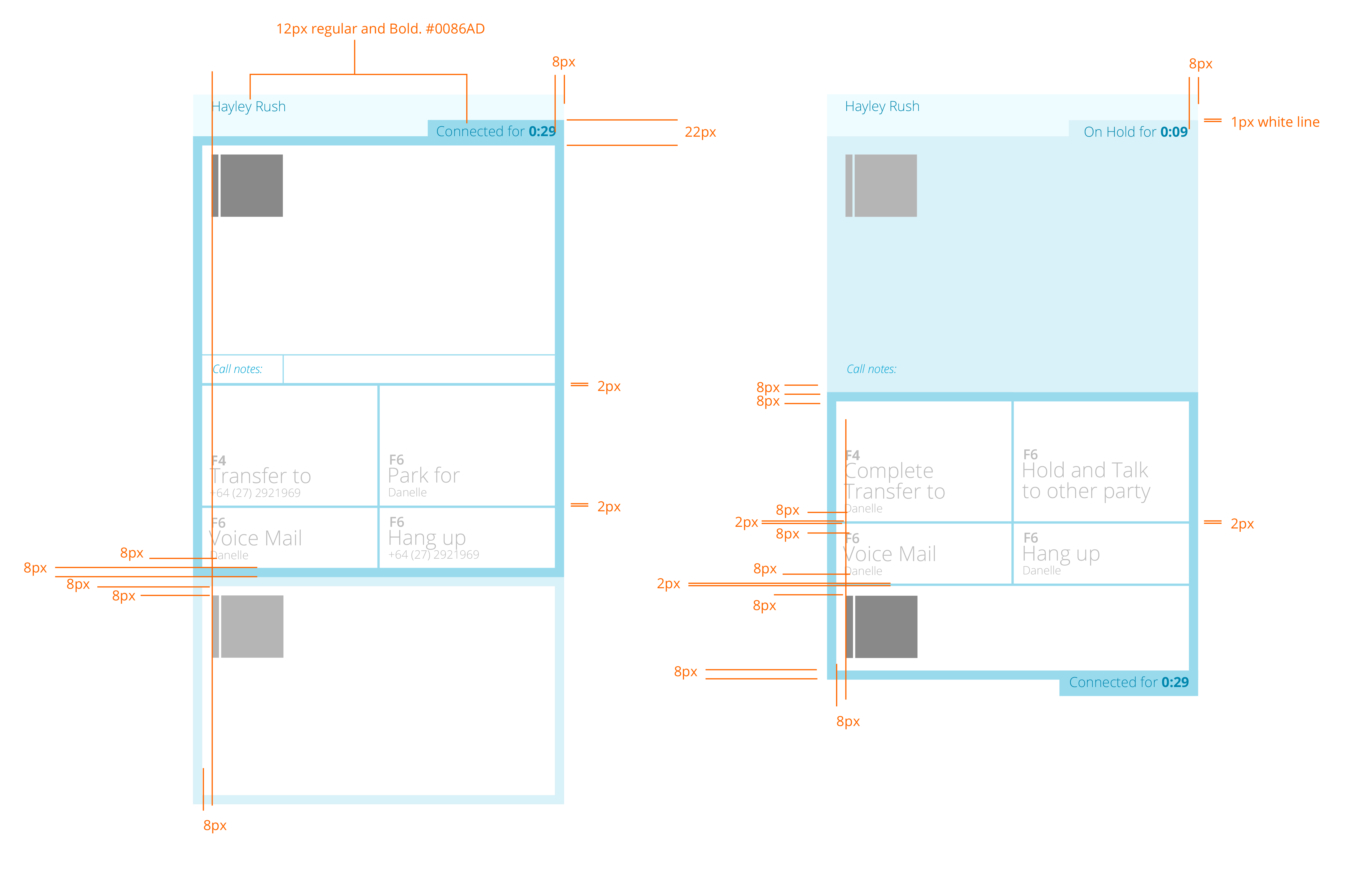
Calls arriving are shown in a colour coded priority on the left of the screen. Once a call is accepted by the operator, the centre of the screen is dedicated solely to the call, it's information and the possible/probable transfer destination.

When a call arrives the system displays any destinations that a caller from that number has been transfered to. The operator has a good chance of greeting the caller and offering a tranfer to XX if the contact card indicates that XX is available.

Once the call is transfered, a tile representing the call is displayed falling down the right side of the screen. This gives an at a glance view of how long the caller is listening to ring tone. If a call tile is reaches the bottom of the screen and has turned red, that caller will need to be recalled and will probably be a little annoyed.

The transparency of all calls in the system empowers the operator and enables a proffessional and informed first point of contact for any company.

Operator Console promo

Console on-call & off-call display

Trello board research

Painted wireframes

Clickable wireframe & anim demos